
The Annual PowerBuilder Conference Elevate 2025 took place online on 1–2 December 2025.
In this event, Christophe Dufourmantelle, CEO of Novalys, demonstrated how Visual Expert AI helps developers understand legacy code, analyze changes, and improve the overall quality of PowerBuilder, Oracle, and SQL Server applications.
The session focused on three practical AI use cases and showed how AI supports, not replaces, developer decisions.
Why PowerBuilder Teams Need AI
Many PowerBuilder applications have grown over the years. They contain large scripts, complex business rules, and limited documentation.
Developers regularly spend large amounts of time trying to understand how older parts of the application work.
Visual Expert addresses these daily challenges by:
- analyzing the full application
- showing dependencies and impacts of changes
- detecting problems in code and SQL
- identifying slow code
- helping developers prepare upgrades
AI now extends these capabilities, making the analysis easier and faster.
Three AI Use Cases Demonstrated at Elevate 2025
Christophe demonstrated three practical AI features inside Visual Expert.
Each feature builds on the existing code analysis engine and uses AI to go one step further.
1. Explain Legacy Code with AI
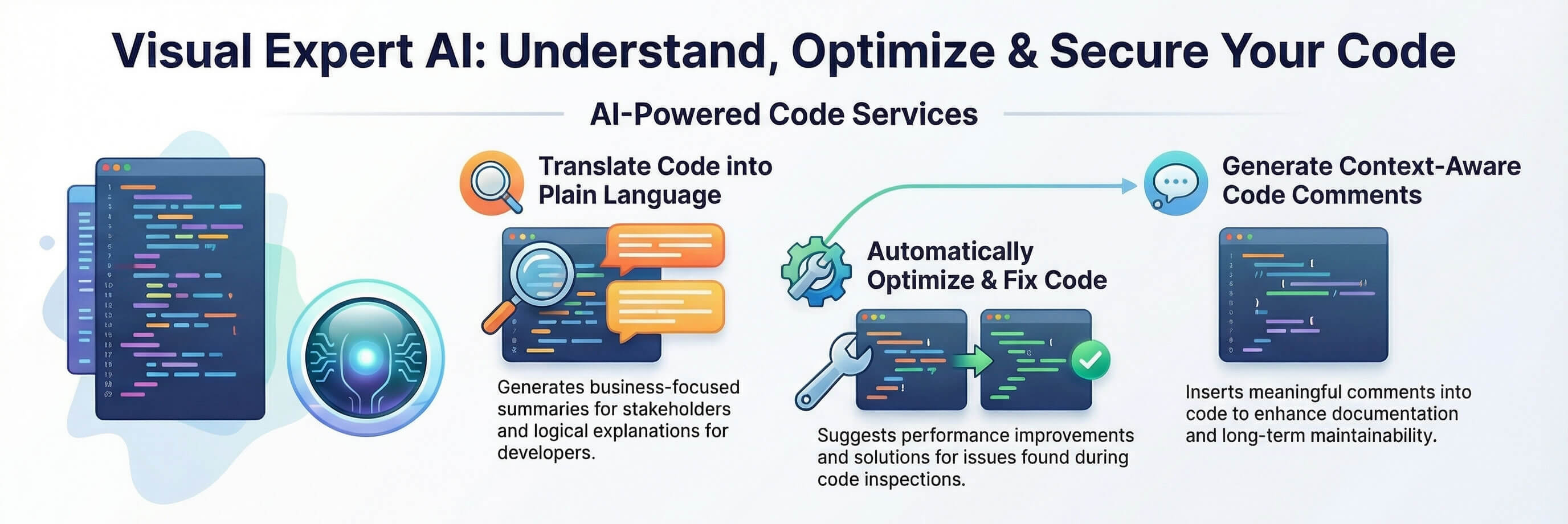
Visual Expert AI helps developers understand existing code with three features that are particularly useful when reviewing unfamiliar code or working on a business process involving multiple objects.
VE AI:
- Provides a business explanation that summarises what the object does
- Provides a logic explanation that describes the technical behaviour
- Generates inline comments to improve code readability.
2. Suggest Fixes for Problems Found in Code Inspection
Visual Expert’s inspection engine detects bugs, vulnerabilities, maintainability issues, and obsolete features.
With the new AI features, you can now ask AI to suggest a fix.
All that remains is for you to review these suggestions and decide whether to use them.
AI does not modify your code automatically.
It proposes a correction, and you choose how to apply it.
3. Optimize Code with AI
Visual Expert detects performance bottlenecks and identifies slow objects, methods, and SQL statements.
Visual Expert AI helps by:
- proposing a more efficient version
- explaining the optimization
This helps teams quickly improve performance without rewriting large parts of the application.
AI Works with Developer Oversight
AI provides helpful explanations and suggestions, and the developer simply reviews the results to ensure they match the project’s needs.
This balance keeps the workflow fast while preserving accuracy and control.
Security, Data Protection, and Deployment
With security rightly being a major concern, Christophe presented the strategy adopted to ensure the confidentiality of exchanges:
- Read-only design: VE never modifies source code or business data.
- Minimal exposure: only the necessary code fragments are submitted to the AI.
- Encrypted communication: TLS in transit, AES at rest.
- Data Protection Agreement: Novalys has a DPA with OpenAI; your code is never used for training.
- Short retention: Extracted data is kept for less than 30 days.
- Full access control: Administrators choose who can use AI features.
This architecture allows companies to adopt AI while meeting security and compliance requirements.
Supports PowerBuilder, Oracle, and SQL Server
The demonstrated features work across the full tech stack:
- PowerBuilder windows, events, functions, and data windows
- Oracle packages, functions, and procedures
- SQL Server stored procedures and triggers
This gives teams one place to explore, understand, and improve the different parts of their application.
Key Takeaways
- Visual Expert now includes practical AI features that help understand, fix, and optimize code.
- AI provides business and logic explanations, generates comments, and speeds up onboarding.
- AI suggests fixes, but the developer remains in control.
- AI optimises slow code based on detected performance issues.
- Visual Expert maintains strong security, confidentiality, and compliance controls.
- AI produces the best results when paired with Visual Expert’s analysis and a developer’s judgment.
Watch the full Elevate 2025 session on Visual Expert AI
Conclusion
Christophe’s Elevate 2025 session showed how AI can improve PowerBuilder maintenance without compromising control or security. Visual Expert AI supports developers by offering explanations, suggestions, and optimisations that build on the results of code analysis. Together, these features help teams move faster, understand their codebase more clearly, and keep their maintenance process up to date.