

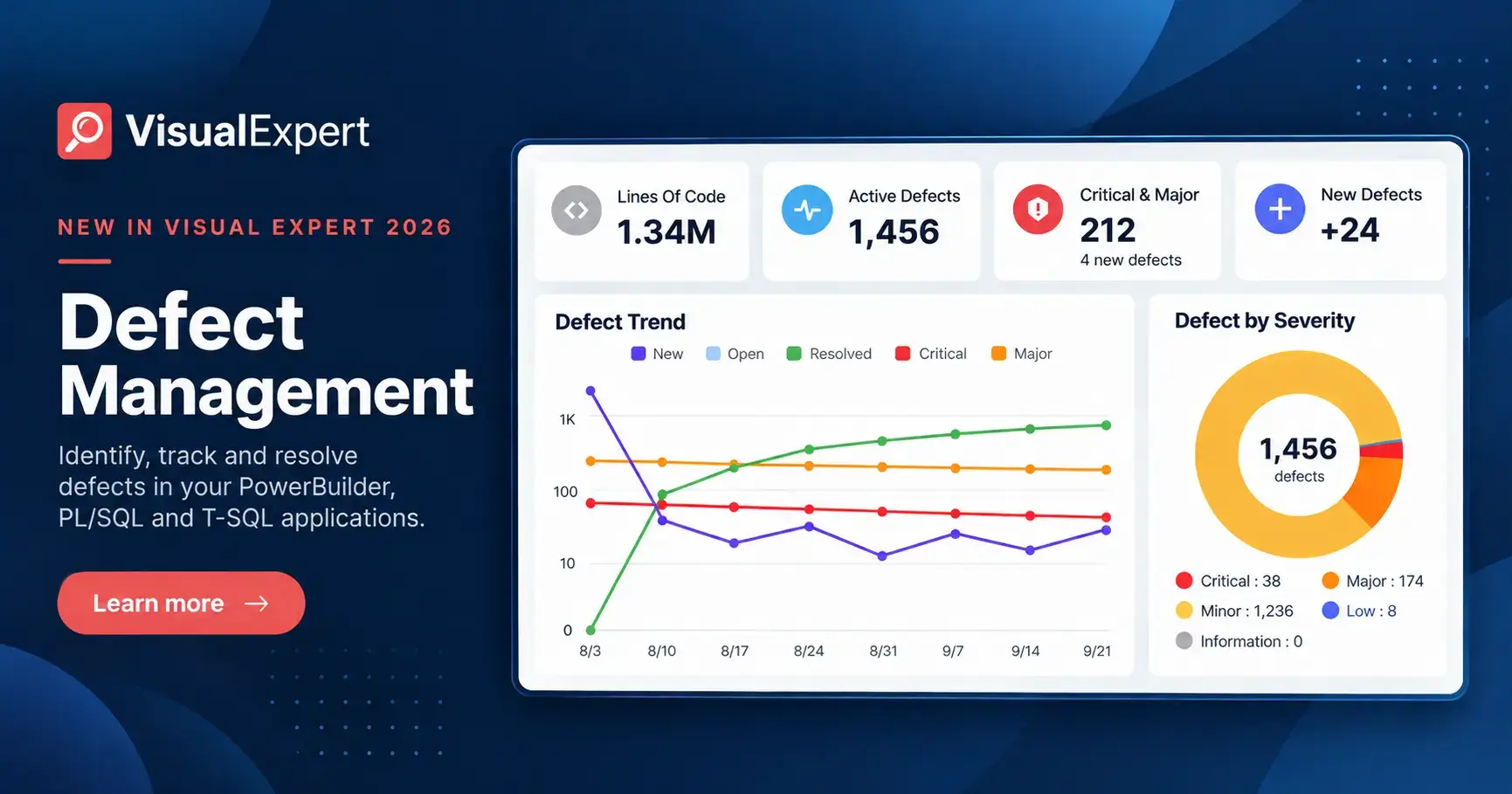
Visual Expert 2026.10 introduces Defect & Task Management for PowerBuilder, Oracle PL/SQL and SQL Server T-SQL applications. The release extends Visual Expert's code verification from finding issues to following each one through to a confirmed correction.
Code verification checks an application against a consistent set of inspection rules to detect bugs, vulnerabilities, and quality and performance issues. It can run on a schedule or within a CI/CD pipeline, so every new code version is checked the same way.
With Defect & Task Management, Visual Expert now handles what happens after each analysis. Every finding becomes a managed defect that teams can prioritize, assign to a developer and track. When the developer marks it as fixed, the next analysis verifies the correction: Visual Expert sets the defect to Resolved only once it is no longer detected.
What's New in Visual Expert 2026.10
- Defect statuses. Each defect is Open, False Positive, Risk Accepted, On Hold, Pending Validation or Resolved, with its full history kept.
- Tasks. Assigning a defect creates a task with an assignee, a priority and a due date.
- Verified corrections. A defect marked as fixed is checked at the next analysis. Visual Expert sets it to Resolved only when it is no longer detected.
- AI-assisted corrections. Visual Expert AI suggests a correction for each defect, based on its application context. The developer reviews and applies it.
- Defect and task dashboards. New defects, trends across analyses, overdue tasks and workload per assignee.
- Web and Desktop. Available in Visual Expert Web and Visual Expert Desktop, and fed automatically by existing scheduled or Jenkins analyses.
Defect Statuses
| Status | What it means |
|---|---|
| Open | Detected and active. It stays Open after assignment until its status changes. |
| False Positive | Reviewed: the rule doesn't apply here. History is kept. |
| Risk Accepted | Reviewed and accepted as a known risk. The decision stays on record. |
| On Hold | Decision postponed, to be reviewed later. |
| Pending Validation | A developer has marked it as fixed. Waiting for the next analysis. |
| Resolved | No longer detected. Set by Visual Expert at the next analysis, not by a user. |
From Detection to Verified Correction
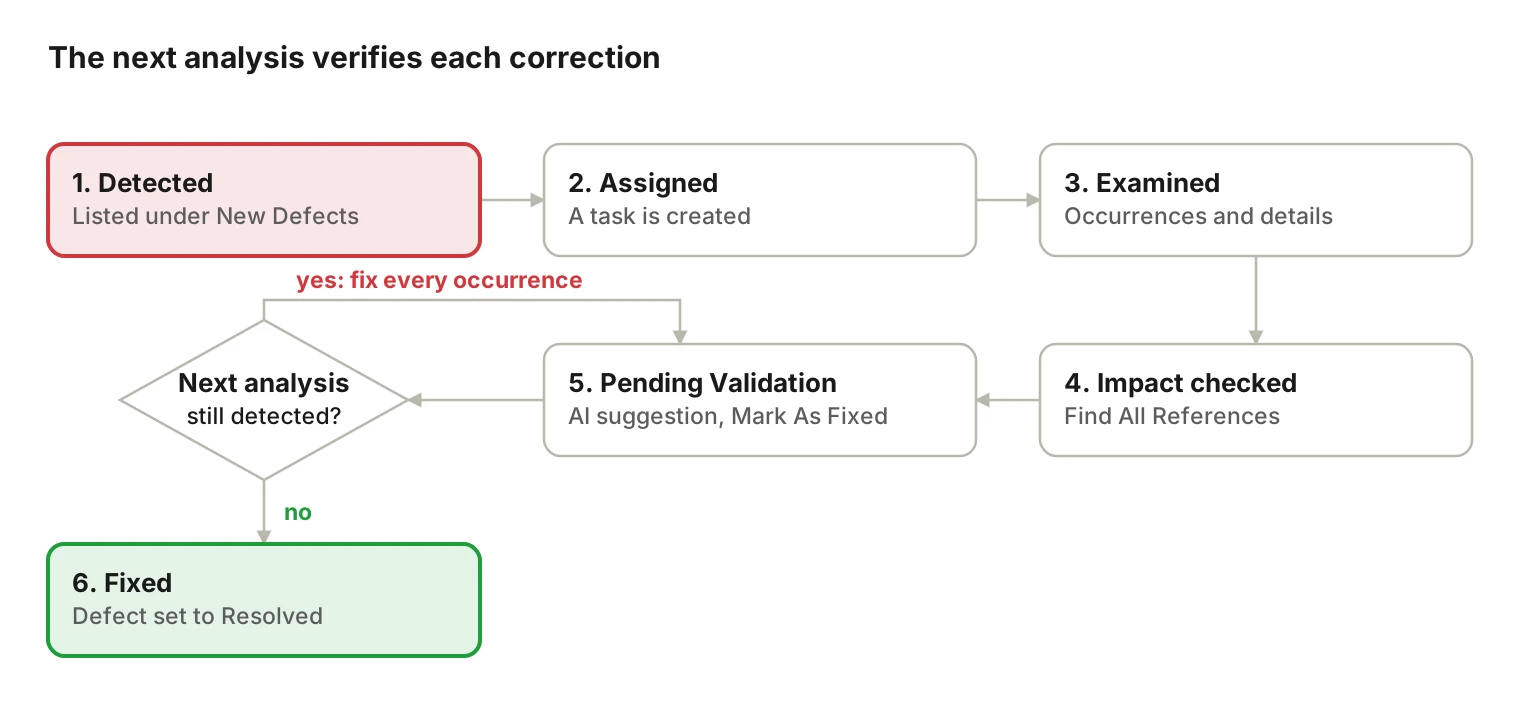
- Detected. The defect appears under New Defects on the dashboard.
- Assigned. A reviewer assigns it, which creates a task for a developer.
- Examined. The developer reviews each occurrence and the recommended correction.
- Impact checked. Find All References lists the objects that depend on the code.
- Pending Validation. The developer applies the correction, with help from Potential Solution (AI), and clicks Mark As Fixed. The defect then awaits the next analysis.
- Fixed. The next analysis no longer detects the defect, and Visual Expert sets it to Resolved.
Track Remediation Progress on Two Dashboards
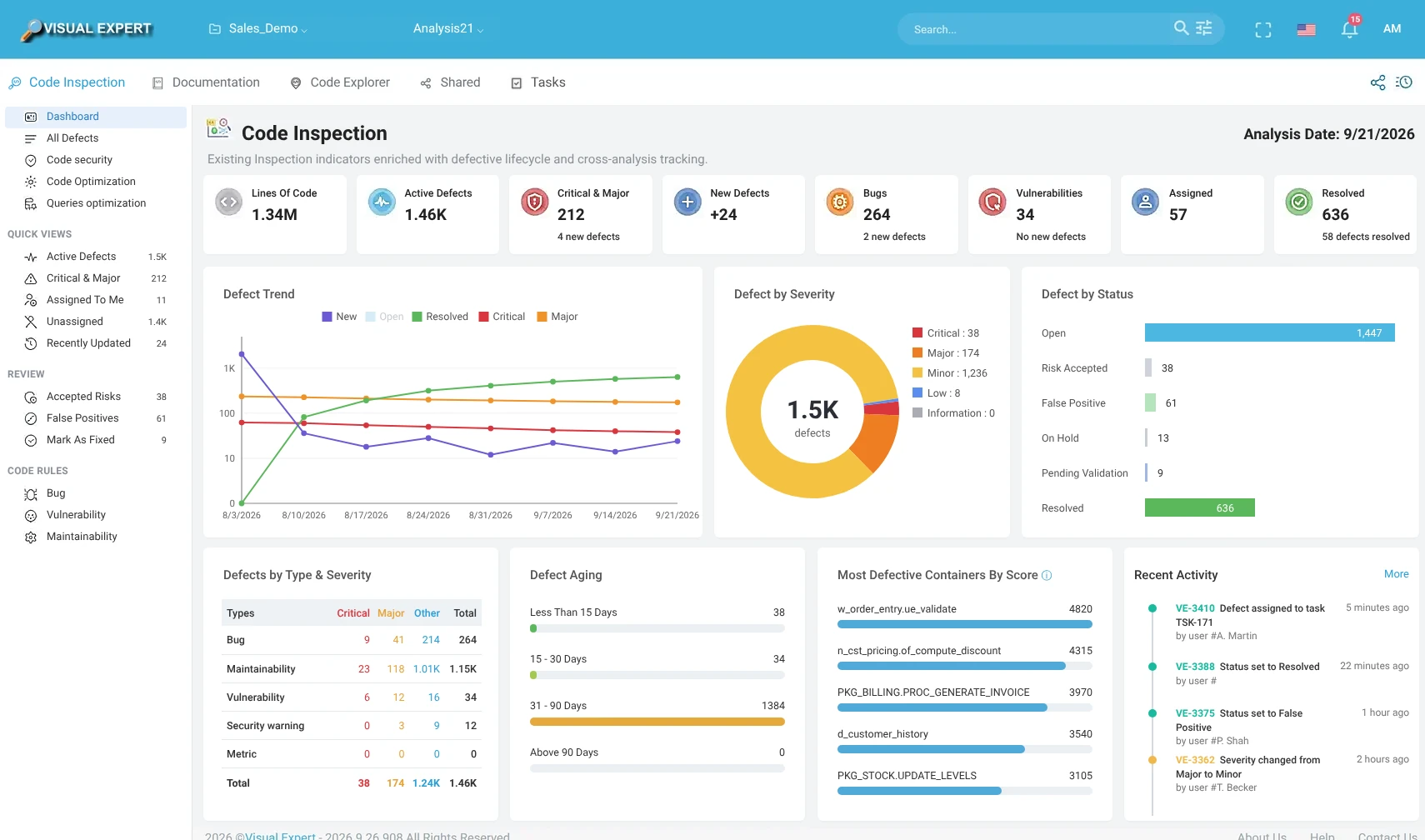
Defect Dashboard
The defect dashboard describes the latest analysis and what changed since the previous one. The Defect Trend chart shows new against resolved defects over successive analyses.
Task Dashboard
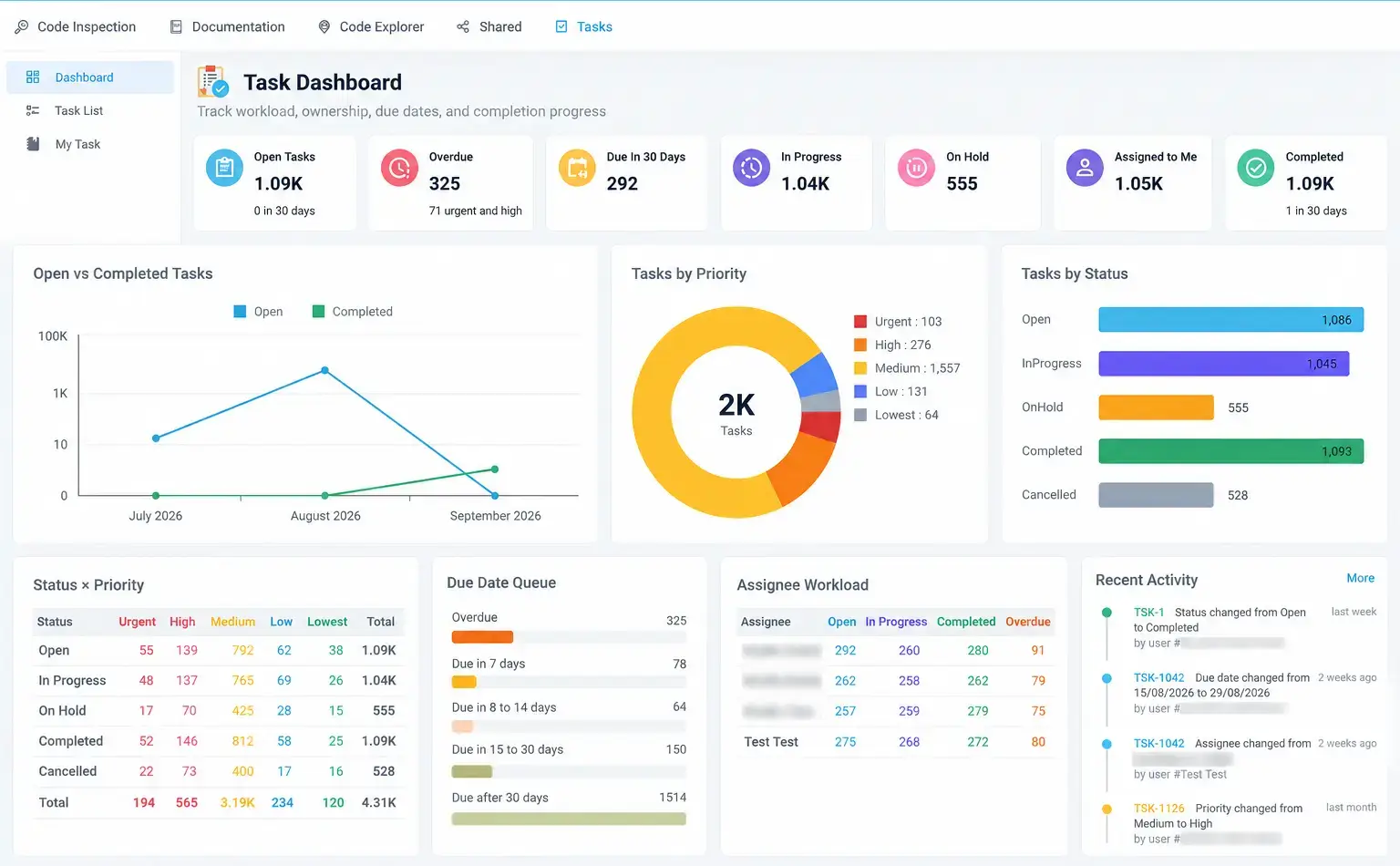
The task dashboard shows Overdue and Due In 30 Days counters, a due date queue, progress by status and priority, and each assignee's workload. Tasks can be reassigned, rescheduled or cancelled in bulk.
Learn More
Get Your Free Trial Book a 30-Minute Demo
About Visual Expert
Visual Expert helps teams verify, fix and document business-critical PowerBuilder, Oracle PL/SQL and SQL Server T-SQL code with application-wide context. It detects issues, shows the impact of changes, manages remediation from finding to proven fix, and keeps technical documentation up to date. Visual Expert is developed by Novalys.