

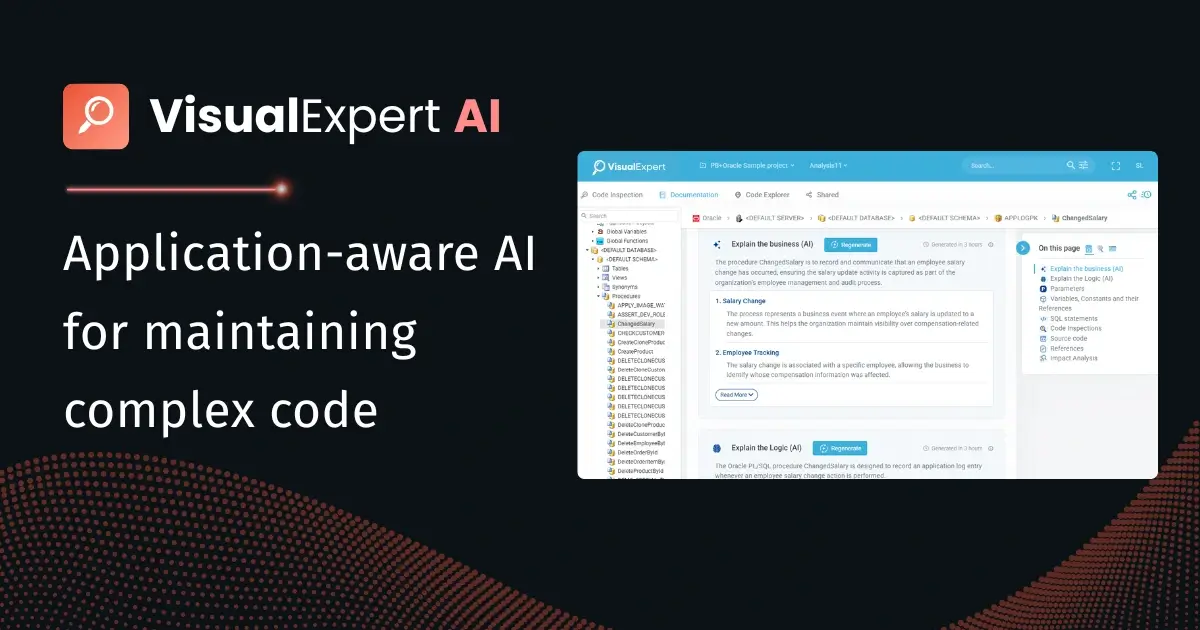
Visual Expert AI is now generally available for PowerBuilder, Oracle PL/SQL, and SQL Server T-SQL.
Visual Expert AI is an application-aware AI layer built into Visual Expert. It explains, optimizes, and fixes PowerBuilder, Oracle PL/SQL, and SQL Server T-SQL code using the full context of an application's dependencies, data flows, and business rules — not just the snippet a developer selects.
If you've already tried AI copilots on your legacy code, you know the pattern: paste a procedure, get a plausible answer, then discover the AI missed the trigger that fires behind it, the three windows that call it, or the column it silently updates. The AI wasn't wrong about the code you pasted; it was wrong about the application it couldn't see.
That's the specific problem Visual Expert AI is built to solve.
Why Does Standalone AI Fail on Real Applications?
A PowerBuilder function rarely lives alone. It reads DataWindows, calls inherited events, and updates tables that other modules depend on. A pasted snippet strips all of that away, so a standalone assistant reasons in a vacuum.
Here's the difference side by side:
|
Feature |
Standalone AI |
Visual Expert AI |
|
What it sees |
The snippet you paste |
Selected code, with its dependencies and database usage |
|
Answers |
Limited to the pasted code |
Grounded in your real application |
|
Workflow |
A separate tool, copy and paste |
Built into Visual Expert, where you work |
|
Your code |
Pasted into an external chat |
Read-only, minimal excerpts, never used to train models |
|
Results |
Kept in the chat session |
Saved with your analysis, shared with the team |
How Visual Expert Gives the AI Its Context
Visual Expert AI isn't a chatbot bolted onto a code tool. It sits on top of Visual Expert's static analysis engine — the same engine teams have used for years to explore dependencies and document applications. That foundation is what makes the AI application-aware:
- Static code analysis — Visual Expert parses your full application, not a pasted snippet: dependency analysis, database analysis, Code Inspection, technical documentation, performance tuning.
- Application context — That analysis is assembled into a single context the AI can reason on: dependencies, data flows, object relationships, business rules, and technical knowledge.
- AI services — When you select code and run an AI service, the request starts from your selection enriched with this context. The AI sees what the code touches, not just what it says.
- Team knowledge base — Results are saved with your analysis, searchable in Visual Expert, and reusable by the next person on the next change.
In short: Visual Expert does the deterministic work of mapping your application, and the AI reasons on top of that map. Neither alone gets you there.
What You Can Do With VE AI Today
Five services are available at launch, with more planned:
- Explain the Business — a functional, plain-language description of a window or procedure for analysts, project managers, and auditors.
- Explain the Logic — a concise technical summary for developers facing unfamiliar code: "loops through sales, applies coefficients by sales level, calculates bonuses via quarterly targets, handles premium client cases."
- Optimize Code — Visual Expert detects bottlenecks (slow queries, inefficient loops, memory handling); AI suggests fixes specific to your environment, like an index on sales_date that won't impact other modules.
- Fix Inspection Issues — concrete, technology-adapted fixes for Code Inspection findings, such as replacing dynamic SQL with a parameterized query flagged as an injection risk.
- Generate Comments — contextual inline comments inserted automatically, so documentation finally keeps up with the code.
Your Code Stays Protected
Visual Expert AI is read-only and never modifies your source code, schemas, or environment. Only the minimal excerpt needed for a request is sent to the AI, never your full codebase. Your code is never used to train AI models, it's encrypted in transit and at rest, and deletion is available on request. Every result is a suggestion that a human reviews before applying, and admins can disable AI per project.
Full details: Security & data handling documentation
See It on Your Own Code
The comparison table above is easy to claim and easy to test. Run Visual Expert AI on the gnarliest procedure in your application and judge the difference context makes. The free trial includes free AI credits; the 30-minute demo focuses on your questions and your development lifecycle.
Get Your Free Trial Book a 30-Minute Demo
About Visual Expert
Visual Expert is an enterprise application intelligence platform that gives organizations complete visibility into their PowerBuilder, Oracle, and SQL Server codebases — mapping every dependency, impact relationship, and structural risk across the application. Teams use Visual Expert to de-risk upgrades, plan migrations, and govern application changes with confidence.