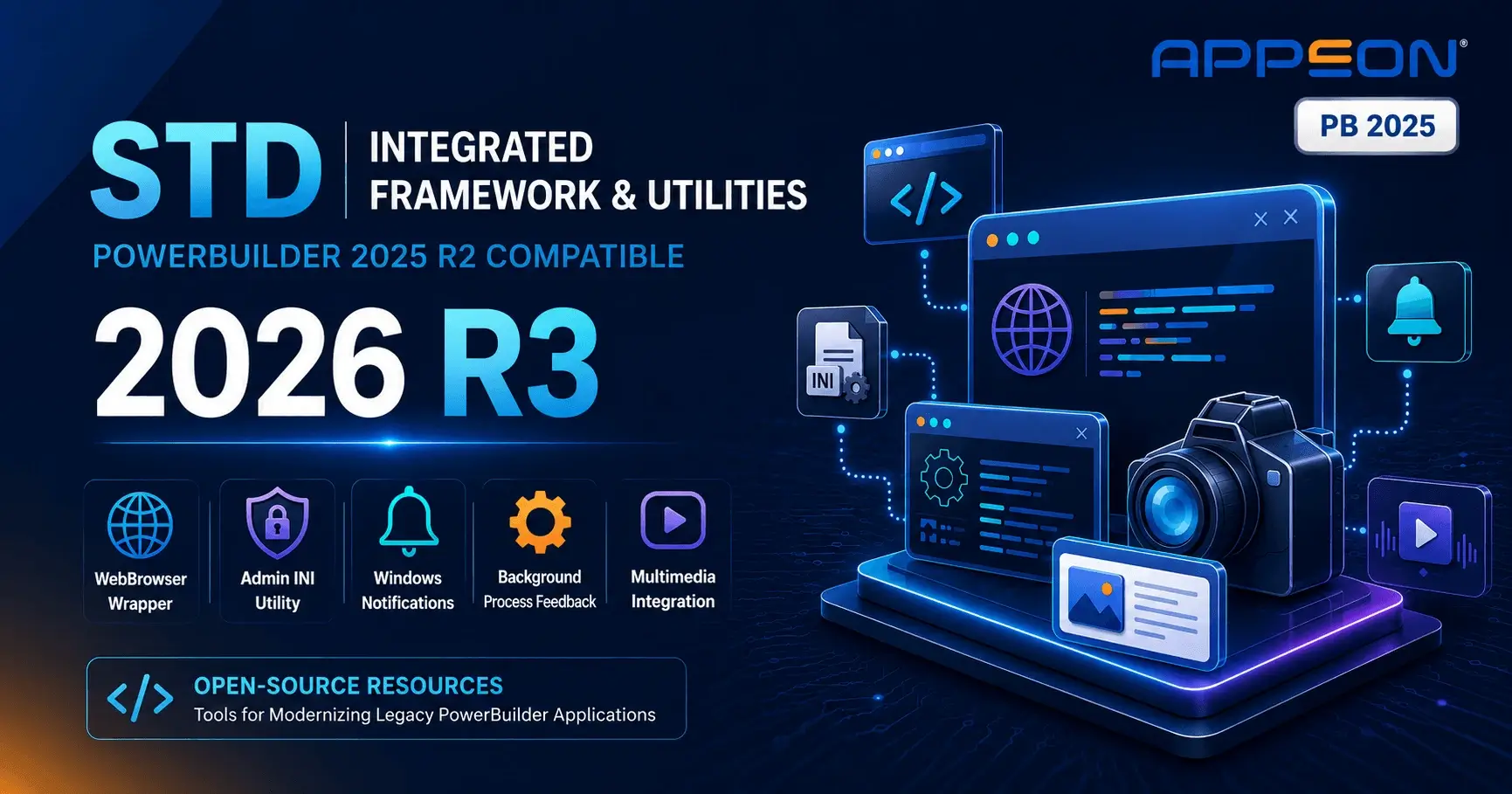

STD Framework: All 2026 Q1 Release Updates
- Category: PowerBuilder News
- Hits: 116
Chris Pollach, Technical Evangelist at Software Tool & Die Inc. (STD), has been active through the first quarter of 2026. Between February and April, STD released a series of new and updated demo applications along with a new version of their Integrated Foundation Class framework, all targeting PowerBuilder 2025 GA (build 3726). Beta-compatible versions for PB 2025 R2 are also included in each release.
All of Chris's 2026 announcements are listed below in chronological order.
Top Security Risks in PowerBuilder Applications (2026)
- Category: PowerBuilder News
- Hits: 94
Top Security Risks in PowerBuilder Applications
PowerBuilder applications face a specific set of security risks tied to their architecture, their longevity, and the practices that were standard when they were originally built. The most common vulnerabilities include hardcoded credentials, injection flaws, weak or missing encryption, unsigned executables, and access controls that are difficult to audit. Understanding these risks is the first step toward a practical remediation plan — without requiring a full rewrite.
This article outlines the key risk areas found in production PowerBuilder environments and points to concrete measures documented in the 2026 Guide to Securing PowerBuilder Applications.
Hardcoded Credentials and Secrets in PowerBuilder Code
One of the most frequent findings during a PowerBuilder security assessment is the presence of hardcoded secrets: usernames, passwords, database connection strings, encryption keys, and even IP addresses embedded directly in PowerScript or in configuration scripts.
This practice dates back to a time when PowerBuilder applications ran exclusively inside trusted networks, and decompilation was not a concern. Today, the risk is real: a compromised workstation, a leaked deployment script, or even a decompiled PBD can expose these secrets to attackers. The consequences range from unauthorized database access to lateral movement across internal systems.
Remediation starts with a static analysis (SAST) scan of the codebase to identify every instance. Tools like Visual Expert include dedicated rules for detecting hardcoded identifiers, passwords, encryption keys, and IP addresses in PowerBuilder code. Once identified, secrets should be moved to encrypted configuration stores, with proper rotation and revocation procedures in place.
SQL Injection and Input Validation Weaknesses
PowerBuilder applications frequently build SQL statements dynamically, often by concatenating user input directly into queries. This creates classic SQL injection vulnerabilities — and in many legacy codebases, these patterns are widespread because parameterized queries were not always the norm when the application was first developed.
Beyond SQL injection, insufficient input validation also opens the door to OS command injection and path traversal attacks, particularly in applications that interact with the file system or call external processes.
The mitigation approach involves two parallel tracks: scanning the code to locate vulnerable patterns (dynamic SQL, unvalidated inputs, concatenated commands), and systematically replacing them with parameterized queries and proper input sanitization. The guide covers this in detail in its chapters on code security and API protection.
Unsigned Executables and Supply Chain Exposure
Many PowerBuilder applications are still deployed via network shares or general-purpose packaging tools, without code signing. An unsigned executable introduces two problems: modern workstations may block it outright (SmartScreen, application control policies), and — more critically — there is no way to verify that the binary has not been tampered with between build and deployment.
Supply chain attacks are no longer theoretical. The 3CX incident in 2023 demonstrated how a legitimate application can be compromised at the build stage and distributed at scale. For PowerBuilder teams, the response is to establish a verifiable chain of trust: reproducible builds, systematic code signing with EV certificates, hash-based integrity checks, and traceability of every deployed version.
PowerBuilder 2025 R2 (currently in beta) adds support for executable-level hardening flags such as DEP, ASLR, CFG, and SafeSEH, which further reduce the attack surface on client workstations. These flags apply to the application executable; runtime files are planned for a future release.
Weak or Obsolete Encryption
Legacy PowerBuilder applications sometimes rely on outdated cryptographic algorithms — DES, 3DES, MD5, or SHA-1 — that no longer meet current security standards. Equally concerning are applications that transmit data in clear text between the client, the application server, and the database, or that store sensitive data unencrypted in exports, logs, or local files.
The risk extends beyond eavesdropping. Ransomware with double extortion — where data is exfiltrated before encryption — turns insufficient data protection into a compliance crisis. Standards like PCI DSS, NIST SP 800-53, and ISO 27001 all require strong encryption for data at rest and in transit.
Modern versions of PowerBuilder provide the tools to address this: the Secure Connection Encryptor for encrypted connection strings, TLS "Strict" mode for SQL Server, and the CrypterObject/CoderObject for application-level encryption. A code scan can quickly flag uses of obsolete algorithms and insecure modes.
Legacy Network Protocols and Unencrypted Channels
The network layer of a PowerBuilder application may still carry traces of older configurations: outdated TLS versions, weak cipher suites, legacy SOAP/INET clients, or connections that silently downgrade to unencrypted channels when negotiation fails.
This is not just a theoretical audit finding. NIST SP 800-52r2 mandates TLS 1.2 as a minimum. PCI DSS requires strong cryptography for data in transit. And pragmatically, a proxy or gateway that enforces modern TLS policies can break an application that has not been updated — turning a security gap into a production outage.
PowerBuilder now supports TLS 1.3, HTTP/2, and mutual TLS authentication (mTLS) through its HTTPClient and RESTClient objects. The recommended approach is to inventory all network flows, remove obsolete protocol support, and validate compatibility with the organization's network infrastructure.
Embedded Browser Components Based on Legacy Engines
Some PowerBuilder applications use an embedded browser to display HTML content, integrate web portals, or handle authentication. When these components are based on the legacy IE WebBrowser control, they introduce vulnerabilities that Microsoft no longer patches — support for IE11 ended in June 2022.
The WebBrowser control runs in full-trust mode and does not prevent execution of potentially dangerous scripts. Vulnerabilities in the MSHTML engine have already been exploited in targeted attacks (e.g., CVE-2021-40444). Migrating to WebView2, a modern and supported engine, eliminates this category of risk.
Access Controls That Are Hard to Audit
In many PowerBuilder applications, access control logic is implemented directly in the code — scattered across windows, menus, and events. This "case-by-case" approach makes it extremely difficult to answer a basic audit question: who can access what?
Without a centralized permission model, organizations face several risks: excessive privileges that accumulate over time, no separation of duties for critical operations, inactive accounts that remain active, and no evidence trail for auditors. The 2025 DBIR reports that 22% of breaches begin with compromised credentials, reinforcing the need for centralized identity management and role-based access control.
The guide recommends centralizing identities in Active Directory or Entra ID, implementing role-based permissions through a dedicated tool, and enabling MFA for sensitive applications. This approach also produces the audit evidence — permission matrices, access reviews, activity logs — that compliance frameworks require.
Insufficient Logging and Audit Trail
Finally, many legacy PowerBuilder applications have logging that is too weak to support security investigations or meet compliance requirements. When an incident occurs, the absence of a reliable audit trail — who did what, when, and from where — makes it difficult to assess scope, identify root cause, or satisfy regulatory obligations.
Effective logging requires more than writing to a local file. It means tracking sensitive operations (logins, data access, exports, configuration changes), centralizing logs for monitoring and alerting, and retaining evidence in a format that auditors can verify.
How to Identify These Risks in Your Application
The most effective starting point is a PowerBuilder-focused SAST scan that covers the specific risk patterns described above. Unlike generic security scanners, a tool designed for PowerBuilder can parse PowerScript, understand DataWindow logic, and detect issues like hardcoded secrets, dynamic SQL, legacy API calls, and obsolete cryptographic patterns.
You can find security risks with static analysis using Visual Expert, which provides a set of security inspection rules specifically designed for PowerBuilder code. The results give you a prioritized inventory of vulnerabilities and a concrete starting point for remediation.
For a structured, chapter-by-chapter approach to addressing each of these risk areas — from executable integrity to encryption, authentication, and compliance — consult the 2026 Guide to Securing PowerBuilder Applications.
Frequently Asked Questions
What is the biggest security risk in legacy PowerBuilder applications?
Hardcoded credentials — usernames, passwords, and connection strings embedded directly in PowerScript — are the most common and most immediately exploitable finding. They can be exposed through decompilation, leaked deployment scripts, or a compromised workstation. A PowerBuilder-focused SAST scan is the fastest way to inventory these issues and prioritize remediation. Visual Expert provides security scanning rules for PowerBuilder code that detect hardcoded secrets along with other critical patterns.
Can PowerBuilder applications meet ISO 27001 or PCI DSS requirements?
Yes. PowerBuilder applications can meet the security requirements of ISO 27001, NIST, PCI DSS, and other frameworks — provided the right controls are in place: encryption, access control, audit logging, and documented evidence. The 2026 Guide to Securing PowerBuilder Applications maps each chapter to the relevant compliance standards and the evidence that auditors expect.
How do I start securing an existing PowerBuilder application?
Start with three steps: inventory your components and data flows, run a static analysis scan to identify vulnerabilities, then establish the foundations — code signing, encryption in transit, centralized access control, and audit logging.
PowerBuilder Annual French Conference 2026
- Category: PowerBuilder News
- Hits: 632
The Annual PowerBuilder Conference in French will be held on Thursday, 5 February 2026, at 14:00 (CET). The event is online and free with registration. A replay will be available to all registered participants.
PowerBuilder 2025 R2 Customer Beta Program - Join Now
- Category: PowerBuilder News
- Hits: 791
The PowerBuilder 2025 R2 Customer Beta Program is open to all active subscribers. This beta release introduces targeted improvements in developer productivity, application security, and UI compatibility.
PowerBuilder Survey 2025 – Last Chance to Participate
- Category: PowerBuilder News
- Hits: 1198
The 2025 PowerBuilder Annual Survey is nearing its close, giving developers one last opportunity to share their feedback and experiences with the popular development platform.
PowerBuilder 2022 R3 MR build 3441: EV certificates and new deployment options
- Category: PowerBuilder News
- Hits: 2734
Appeon has announced the official release of PowerBuilder/PowerServer 2022 R3 MR and InfoMaker 2022 R3 MR, build 3441, now available for download.
Page 2 of 87
Code Analysis
Explore & Understand complex code Evaluate the impact of a change. Improve PB and Database Code.

Application Security
Control Access to Sensitive Data.
Monitor Audit application Security.
Send notifications on suspicious events.

Automated Testing
The ONLY testing tool fully supporting
PowerBuilder Datawindows and Objects.